
Broken Conversations – A Practical Guide for Improving Chatbot UX

Integration
Focuses on how well the chatbot connects with external systems such as Ticketing systems, Order management systems, etc. to provide real-time updates, personalized responses, or execute tasks within the conversation.
Today’s users expect a chatbot to be fully “connected”. Whether they are inquiring about products, support tickets, or order statuses, they expect the chatbot to leverage their stored profile data to create a seamless interaction. Furthermore, users assume that any action taken within the chat will be reflected across all other channels instantaneously, and that all information provided is accurate and up-to-date.
When chatbots fail to integrate with these essential backend systems, the result is always the same: a frustrated user.

Scenario 1: Missing backend integration
A user chats with a chatbot and requests information that requires access to internal, real-time, or user-specific data. Because the chatbot cannot retrieve this information from backend systems, it provides a generic or deflective response rather than resolving the request.

Scenario 2: Out-of-sync data
A user interacts with a chatbot and asks a question that requires real-time information. Due to a lack of synchronization with other channels, the chatbot provides outdated information or fails to propagate the user’s actions consistently across the website or app.
Scenario 1:
Missing backend integration
A user chats with a chatbot and requests information that requires access to internal, real-time, or user-specific data. Because the chatbot cannot retrieve this information from backend systems, it provides a generic or deflective response rather than resolving the request.

Examples

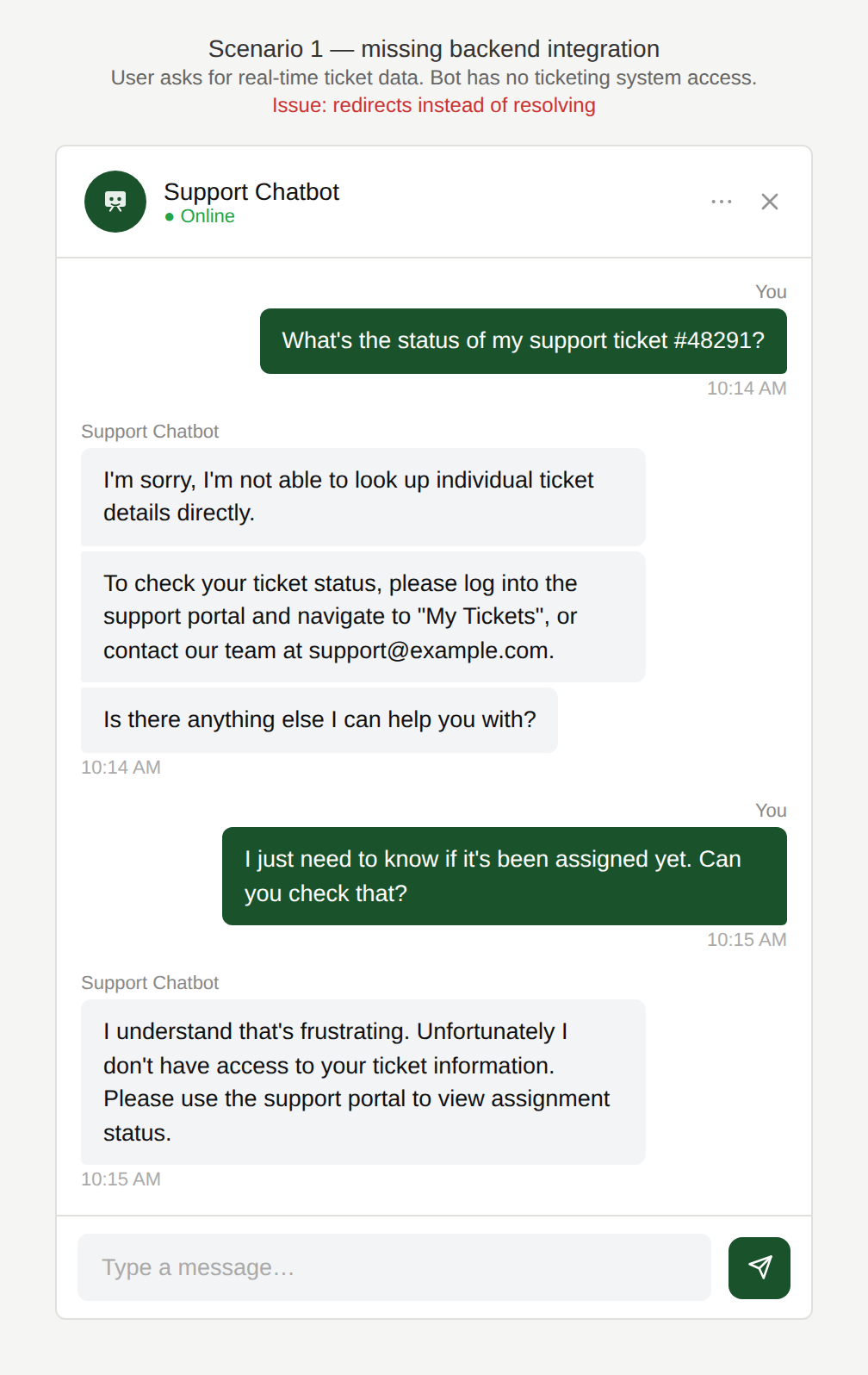
Why can’t you check for me?
The user asks the chatbot “What’s the status of my support ticket?” and the chatbot tells the user to query the ticketing system.
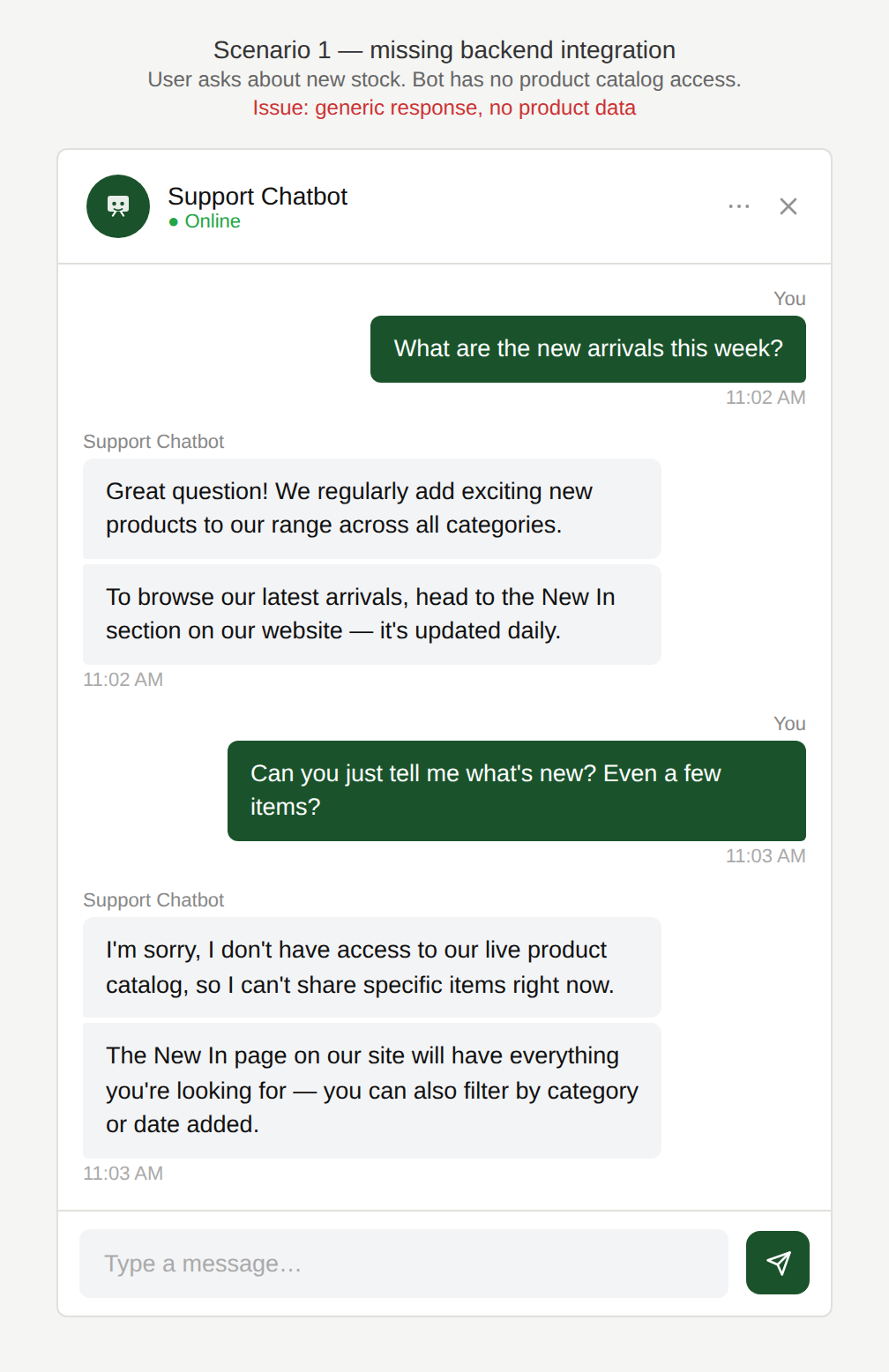
Why don’t you have access?
The user asks the chatbot “What are the new arrivals?” or “What are your current best sellers?” but the chatbot does not have access to that information.
Why is this an issue?
The chatbot cannot access the relevant backend systems (such as ticketing, order management, product catalog, inventory, etc.) to provide accurate, up-to-date answers:
- Responses are generic rather than specific or personalised.
- The chatbot redirects the user elsewhere instead of resolving the request.
- The interaction appears functional, but the user’s task is not completed.
Why do we care?
Users expect chatbots to provide instant, useful answers:
- Task failure: The user cannot complete their task within the chat.
- Erosion of trust: Generic responses signal that the chatbot is limited or unreliable.
- Higher user effort: Users must repeat themselves, switch channels, or navigate manually.
- Increased support load: Issues that could be self-served are escalated to human agents.
What is the remedy?
Enable secure real-time integrations so the chatbot can fetch and act on current data:
- Enable secure data integrations: Connect the chatbot to ticketing, order, catalog, and inventory APIs with appropriate permissions. Ensure data is refreshed frequently enough to support real-time or near-real-time use cases.
- Support authentication and personalization: Allow users to authenticate so the chatbot can surface account-specific data (e.g. ticket status, order history). Clearly indicate when a response is personalised vs. generic.
- Design graceful fallbacks: When data is unavailable, offer a meaningful next step (e.g. “Log in to view your ticket status,” “Connect to a support agent,” “Browse new arrivals here”).
- Be transparent about limitations: Clearly communicate what the chatbot can and cannot access. Avoid implying that the chatbot has real-time visibility when it does not.
Are there any exceptions to this rule?
There are justified exceptions when full data access may not be appropriate, such as:
- Privacy or security constraints: Certain data cannot be exposed in chat due to compliance or policy restrictions.
In these cases, the chatbot should still guide the user to the best next action (e.g. “log in to view status”) rather than providing a vague or generic response.

Scenario 2:
Out-of-sync data
A user interacts with a chatbot and asks a question that requires real-time information. Due to a lack of synchronization with other channels, the chatbot provides outdated information or fails to propagate the user’s actions consistently across the website or app.
Examples
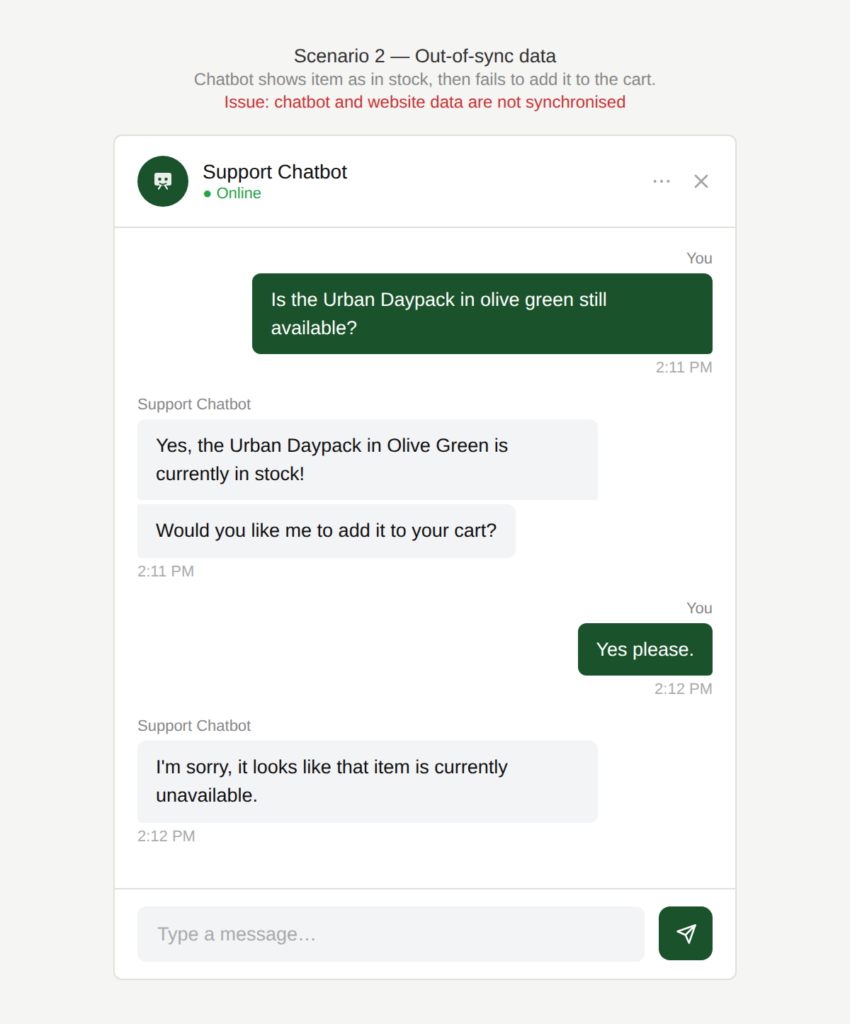
Which information is correct?
The chatbot shows an item as in stock, but when asked to add it to the cart, the item shows as “out of stock”
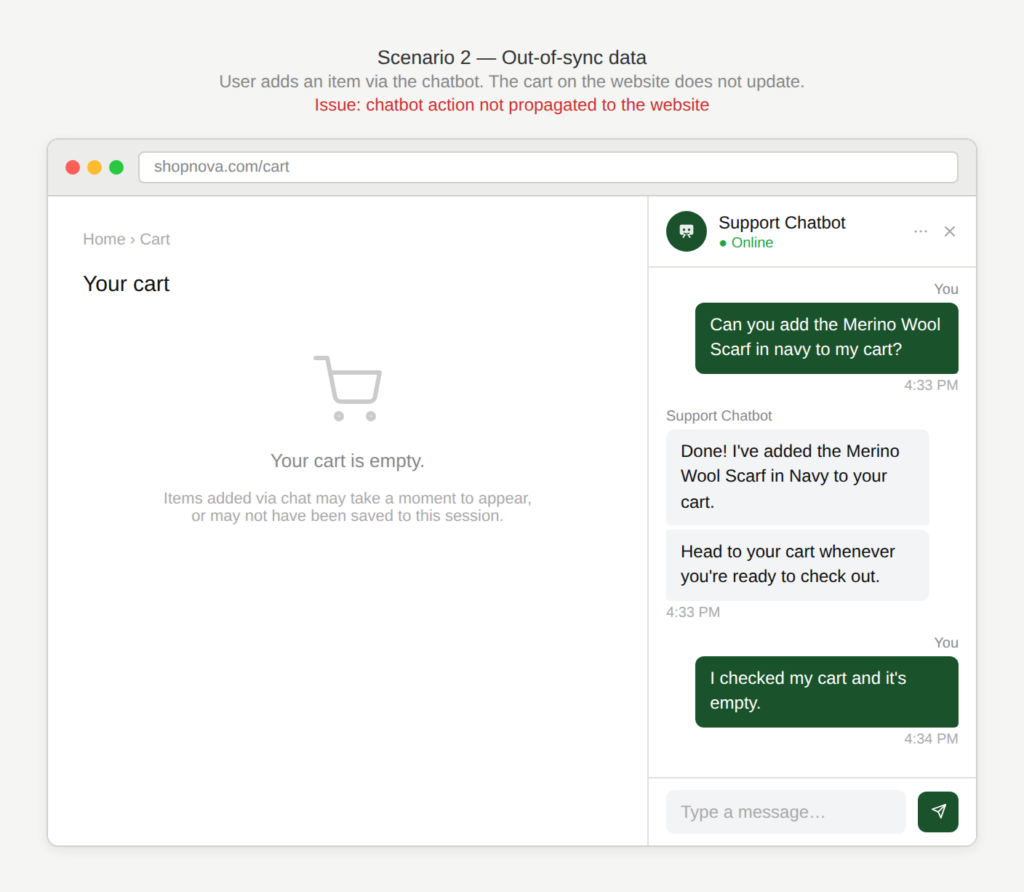
Is it in the cart or not?
A user adds an item to their cart via the chatbot, but the cart on the website or app does not update accordingly.
Why is this an issue?
The chatbot is not synchronised with other customer-facing channels:
- The chatbot presents stale or incorrect information.
- Actions performed in the chatbot do not propagate reliably to other channels.
- The user is exposed to conflicting information and cannot determine what is correct.
Why do we care?
Users rely on chatbots for fast, reliable answers. When the information is wrong or inconsistent, it creates uncertainty and the user may be blocked in their task completion:
- Inefficiency: The user wastes time on a task that cannot be completed due to incorrect information.
- Erosion of trust: Conflicting information undermines confidence in the chatbot and the brand.
- Task failure: The user attempts to complete an action that cannot be fulfilled.
- User confusion: Inconsistencies across channels create uncertainty and hesitation.
- Increased support cost: Users contact support to resolve issues caused by system inconsistency.
What is the remedy?
The chatbot should present reliable, current information and handle changes gracefully when they occur:
- Establish a single source of truth: Ensure the chatbot, website, and app all rely on the same backend systems.
- Synchronize at key moments: Re-validate stock, price, and delivery information before confirming availability. Confirm state again before checkout or order completion.
- Expose data freshness: Show timestamps or confidence indicators (e.g. “Updated just now”) when accuracy matters.
- Design for state changes: Handle mismatches gracefully with clear messaging (“This item just went out of stock”). Offer alternatives such as similar items, restock notifications, or saved searches.
Are there any exceptions to this rule?
There are justified exceptions when certain mismatches are difficult to fully avoid, such as:
- Extremely fast-changing inventory: Flash sales, limited stock etc. might cause mismatches.
In these cases, the chatbot should still set expectations (“Stock can change quickly”) and confirm critical info at the point of action (cart/checkout).